Common Core Web Vitals Issues: How to Fix LCP, INP and CLS
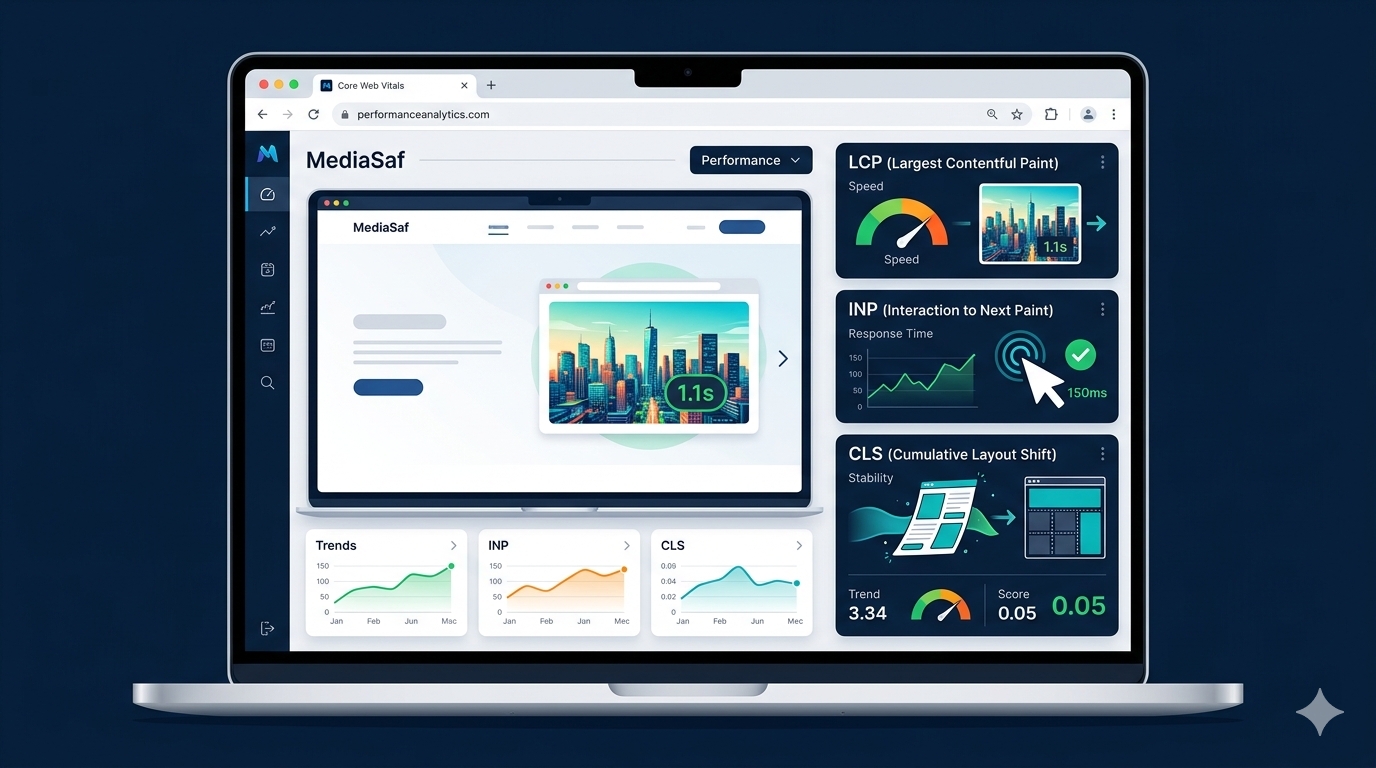
Core Web Vitals issues can affect how quickly a website loads, how responsive it feels, and how stable the page remains while users browse. For website owners, developers, and SEO professionals, understanding these performance metrics is an important part of modern website optimization.
Google’s Core Web Vitals focus on three areas of user experience: loading performance, responsiveness, and visual stability. These areas are measured using three metrics: Largest Contentful Paint (LCP), Interaction to Next Paint (INP), and Cumulative Layout Shift (CLS).
If your website has a slow LCP, poor INP, or high CLS, this guide explains what the problem means, what commonly causes it, and how you can improve Core Web Vitals.
AEO vs GEO vs SEO: Complete Comparison 2026
What is technical SEO vs on-page SEO?
What Are Core Web Vitals?
Core Web Vitals are performance metrics used to evaluate important aspects of the user experience on a webpage.
The three current Core Web Vitals are:
LCP, or Largest Contentful Paint, measures loading performance.
INP, or Interaction to Next Paint, measures responsiveness.
CLS, or Cumulative Layout Shift, measures visual stability.
Google’s recommended thresholds are an LCP of 2.5 seconds or less, an INP of 200 milliseconds or less, and a CLS score of 0.1 or less.
These metrics are particularly useful because they focus on experiences that users can actually notice when visiting a website.
A page may contain excellent content, but if it takes too long to display its main content, responds slowly to clicks, or constantly moves while loading, the user experience can still be frustrating.
What Are the Most Common Core Web Vitals Issues?
The most common Core Web Vitals problems usually fall into three categories.
Poor LCP is generally related to slow loading and delayed rendering of the main page content.
Poor INP is usually related to excessive JavaScript and tasks that block the browser from responding quickly.
High CLS is usually caused by content that changes position unexpectedly while the page is loading.
Understanding which metric is failing is the first step toward fixing the problem.
Largest Contentful Paint Issues
Largest Contentful Paint measures how quickly the largest visible content element is rendered.
The LCP element can be a large image, video poster, heading, paragraph, or another significant element visible in the initial viewport.
A good LCP is 2.5 seconds or less.
When LCP takes longer than 2.5 seconds, the page may feel slow to users even if other elements have already loaded.
What Causes Poor LCP?
Several technical problems can contribute to a high LCP.
Large images are one of the most common causes. Hero images, banners, and large featured images can take significant time to download, especially on mobile devices.
Slow server response time is another important factor. If the browser waits too long for the server to return the initial HTML, the page cannot begin rendering important content quickly.
Other common causes include render-blocking CSS, excessive JavaScript, slow fonts, third-party scripts, poor hosting, redirects, missing caching, and inefficient backend processing.
How to Fix LCP
Start by identifying the LCP element using PageSpeed Insights or browser developer tools.
If the LCP element is an image, optimize the image without unnecessarily reducing its visual quality.
Use appropriately sized images and consider modern formats such as WebP or AVIF when they provide benefits for your website.
Server performance should also be reviewed.
Improving hosting, enabling caching, optimizing database queries, reducing backend processing, and using a CDN where appropriate can help reduce server response time.
You should also review render-blocking resources.
Non-critical JavaScript can often be deferred, while unnecessary CSS and JavaScript can be removed.
Fonts should also be optimized because excessive font files and font weights can delay important content.
Interaction to Next Paint Issues
Interaction to Next Paint is the current Core Web Vital used to measure website responsiveness.
INP evaluates how quickly a page responds after users interact with it.
Examples include clicking a button, opening a navigation menu, submitting a form, selecting an option, or interacting with a page component.
A good INP is 200 milliseconds or less.
What Causes Poor INP?
JavaScript is one of the biggest causes of poor INP.
Large JavaScript files can require significant processing time.
Long-running JavaScript tasks can also block the browser’s main thread and delay interactions.
Other potential causes include inefficient event handlers, excessive DOM updates, complex interactive components, third-party scripts, advertising technology, analytics tools, chat widgets, and social media integrations.
How to Improve INP
The first step is to identify which interaction is producing high latency.
Then investigate the JavaScript executed during that interaction.
Remove unnecessary JavaScript where possible.
Break large tasks into smaller tasks so the browser has opportunities to process user interactions.
Event handlers should also be optimized so they perform only the work required for the interaction.
Third-party scripts should be reviewed regularly.
If an analytics tool, tracking script, chat widget, or other external service is not essential, removing it can reduce unnecessary browser processing.
Cumulative Layout Shift Issues
Cumulative Layout Shift measures unexpected movement of page content.
A high CLS score means users may see elements move while the page is loading.
For example, imagine a visitor starts reading an article and an advertisement suddenly appears above the paragraph. The text moves downward, forcing the visitor to find their place again.
This is a common layout shift.
A good CLS score is 0.1 or less.
What Causes High CLS?
Images without defined dimensions can cause layout shifts because the browser does not initially know how much space the image requires.
Advertisements are another common cause.
Videos, iframes, maps, social media embeds, and other external elements can also create layout instability when their dimensions are not reserved in advance.
Dynamically inserted content can cause similar problems.
Web fonts may also contribute to layout shifts when a fallback font is replaced by a different font after loading.
How to Fix CLS
Always provide appropriate dimensions for images.
For example:
<img src="image.webp" width="800" height="500" alt="Example image">
This allows the browser to reserve space before the image loads.
Reserve space for advertisements and other dynamic content whenever possible.
The same principle applies to videos, iframes, maps, and embedded content.
Avoid inserting unexpected content above content that the visitor is already reading.
Review font loading behavior and test your website on real mobile devices and different connection speeds.
Core Web Vitals and SEO
Core Web Vitals are relevant to technical SEO because Google uses page experience signals as part of its ranking systems.
However, improving Core Web Vitals does not automatically guarantee higher Google rankings.
Search engines consider many factors when determining search results, including relevance, content quality, authority, and other technical signals.
This means website owners should not optimize Core Web Vitals only to increase a PageSpeed score.
The bigger goal is to create a website that provides a fast, responsive, and stable experience for visitors.
Core Web Vitals and PageSpeed Insights
Google PageSpeed Insights is one of the most useful tools for diagnosing website performance.
You can enter a webpage URL and review its performance metrics.
The report can provide information about LCP, INP, CLS, performance opportunities, and diagnostic information.
PageSpeed Insights can also provide laboratory data and, when sufficient data is available, real-world field data.
These results may differ because laboratory testing uses a controlled environment while real users have different devices, internet connections, locations, and browsing behavior.
For this reason, website owners should look at the underlying Core Web Vitals instead of focusing only on the overall PageSpeed score.
AI Overviews Traffic Impact: 2026 Guide
Which is the best AI tool? – 2026
Core Web Vitals in Google Search Console
Google Search Console provides a Core Web Vitals report that helps website owners identify groups of URLs with performance problems.
This is especially useful for large websites.
For example, if hundreds of pages have similar LCP problems, the issue may be related to a common theme, template, plugin, hosting configuration, or image system.
Search Console can therefore help identify patterns that may not be obvious when testing individual URLs.
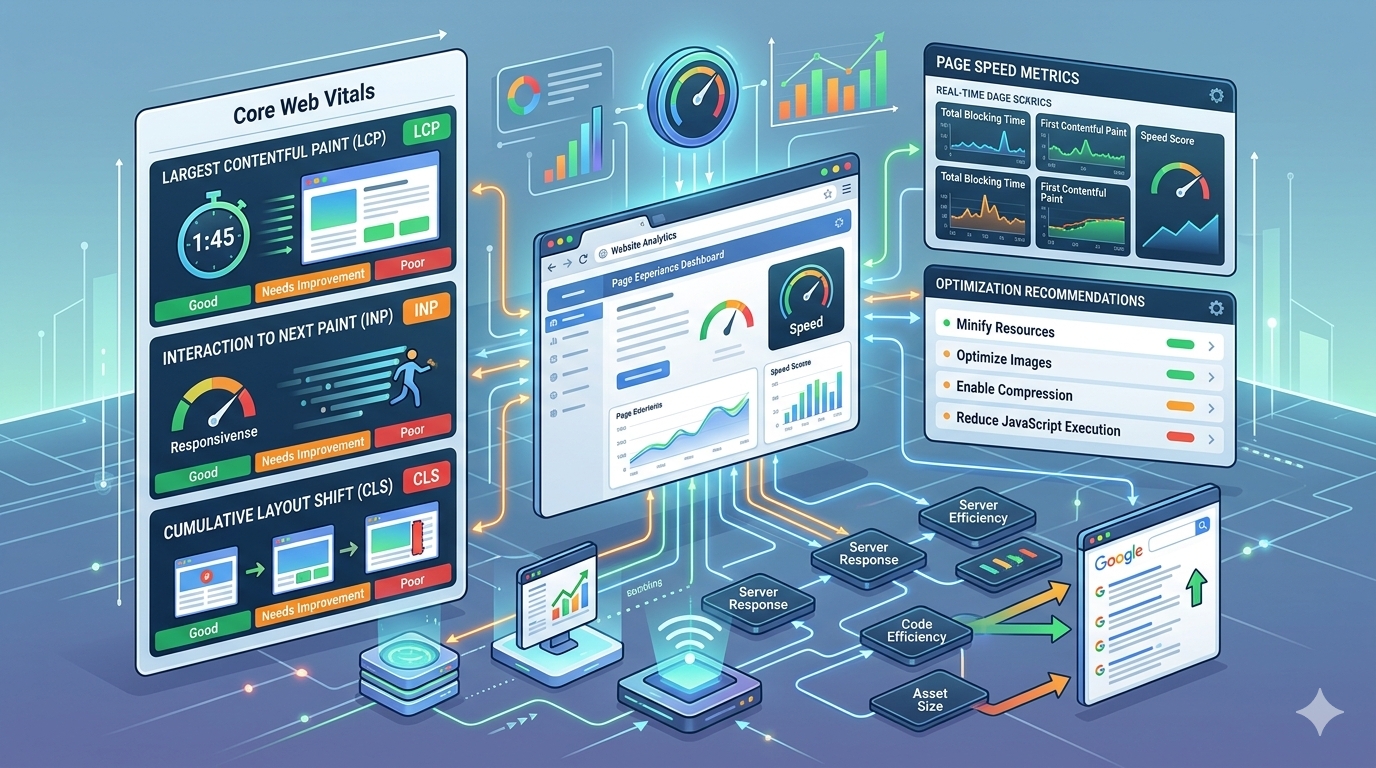
How to Fix Core Web Vitals Step by Step
The most effective Core Web Vitals optimization strategy starts with measurement.
First, test important URLs with Google PageSpeed Insights.
Next, check the Core Web Vitals report in Google Search Console.
Record the current LCP, INP, and CLS values.
Then identify which metric is causing the biggest problem.
If LCP is poor, investigate images, server response time, TTFB, CSS, fonts, and resource loading.
If INP is poor, investigate JavaScript, long tasks, event handlers, and third-party scripts.
If CLS is poor, investigate images, advertisements, embeds, fonts, and dynamically inserted content.
After identifying the cause, make targeted changes.
Do not make dozens of unrelated changes simultaneously because it becomes difficult to determine which change actually improved performance.
After optimization, test the page again and compare the underlying metrics.
Continue monitoring real-world data through Google Search Console.
WordPress Core Web Vitals Optimization
WordPress websites can experience Core Web Vitals issues because themes, plugins, page builders, images, and third-party services can add additional resources.
One of the first things to review is the plugin list.
Remove plugins that are no longer necessary and investigate plugins that load large amounts of JavaScript or CSS.
A heavy WordPress theme can also contribute to poor performance.
Some themes load resources that are not required on every page.
Page builders can create additional HTML, CSS, and JavaScript that may affect page performance.
Images should also be optimized before being uploaded.
Large original images can increase page weight and negatively affect loading performance.
Caching is another important part of WordPress performance optimization.
Depending on the hosting environment, server-side caching, browser caching, CDN caching, and optimized database queries can help reduce loading times.
Mobile Core Web Vitals
Mobile performance deserves special attention because mobile devices can have slower processors, smaller memory capacity, and slower network connections compared with desktop environments.
A page that feels fast on a powerful desktop computer may feel much slower on a mobile phone.
Test important pages using mobile performance conditions.
Pay particular attention to:
Large images
JavaScript execution
Third-party scripts
Font loading
Server response time
Interactive elements
Layout stability
Mobile optimization should be part of any Core Web Vitals strategy.
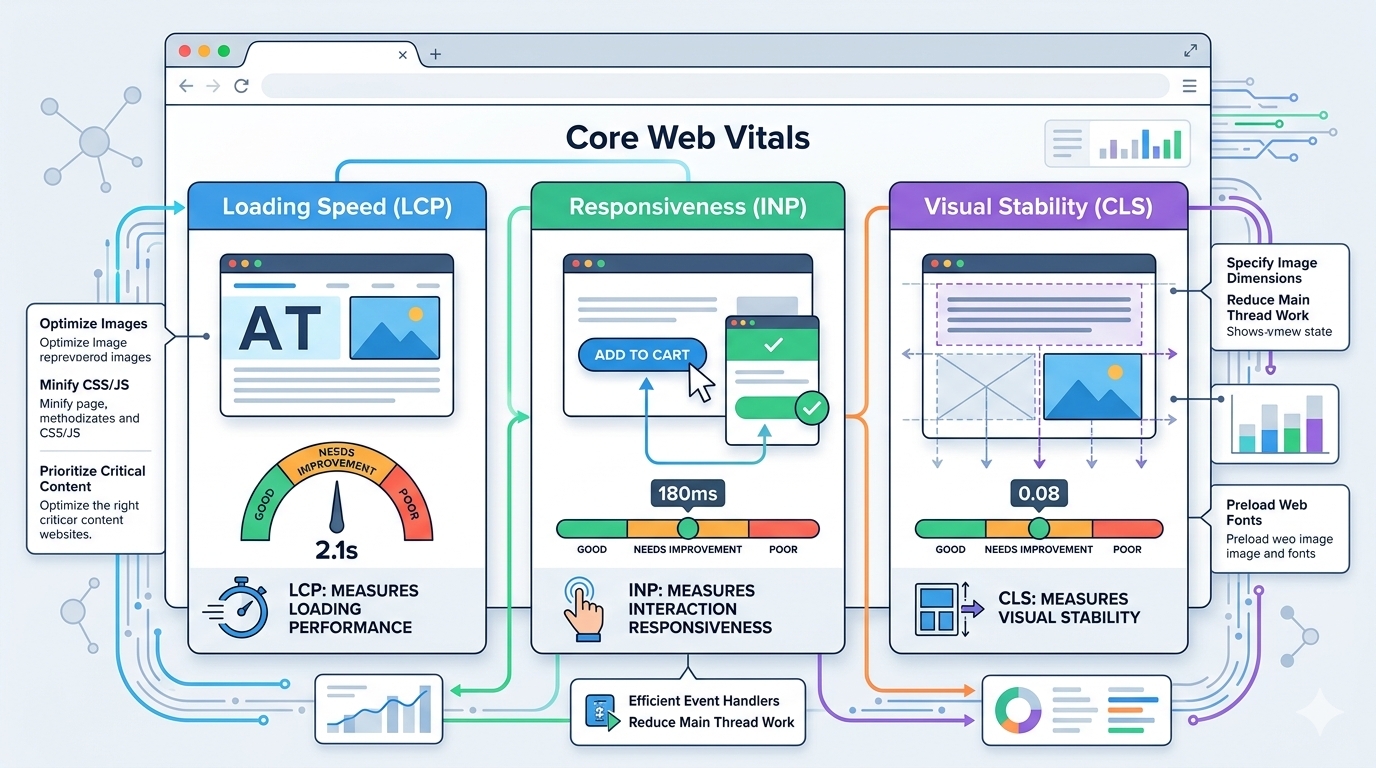
Core Web Vitals Optimization Checklist
LCP Optimization Checklist
Optimize large images.
Use appropriately sized images.
Consider WebP or AVIF where appropriate.
Improve server response time.
Reduce TTFB.
Enable effective caching.
Use a CDN when appropriate.
Reduce render-blocking resources.
Remove unused CSS.
Defer non-critical JavaScript.
Optimize fonts.
Reduce unnecessary redirects.
INP Optimization Checklist
Reduce unnecessary JavaScript.
Break up long tasks.
Optimize event handlers.
Reduce unnecessary DOM operations.
Audit third-party JavaScript.
Remove unnecessary scripts.
Optimize interactive components.
Test important interactions on mobile devices.
CLS Optimization Checklist
Define image dimensions.
Define video dimensions.
Reserve space for advertisements.
Reserve space for iframes.
Reserve space for embeds.
Avoid unexpected content injection.
Optimize font loading.
Review dynamic page elements.
Avoid animations that unexpectedly change layout.
Core Web Vitals FAQ
What are Core Web Vitals?
Core Web Vitals are Google’s key metrics for measuring important aspects of user experience, including loading performance, responsiveness, and visual stability.
The current metrics are LCP, INP, and CLS.
What are the three Core Web Vitals?
The three Core Web Vitals are Largest Contentful Paint, Interaction to Next Paint, and Cumulative Layout Shift.
LCP measures loading performance, INP measures responsiveness, and CLS measures visual stability.
Is FID still a Core Web Vital?
No. First Input Delay was replaced by Interaction to Next Paint in March 2024.
Modern Core Web Vitals optimization should focus on LCP, INP, and CLS.
What is a good LCP score?
A good LCP score is 2.5 seconds or less.
An LCP between 2.5 and 4 seconds needs improvement, while an LCP above 4 seconds is considered poor.
What is a good INP score?
A good INP score is 200 milliseconds or less.
An INP between 200 and 500 milliseconds needs improvement, while an INP above 500 milliseconds is considered poor.
What is a good CLS score?
A CLS score of 0.1 or less is considered good.
A score above 0.25 is considered poor.
Do Core Web Vitals affect SEO?
Yes. Google uses Core Web Vitals as part of its ranking systems.
However, good Core Web Vitals do not guarantee higher rankings because Google considers many other signals.
How can I check Core Web Vitals?
You can use Google PageSpeed Insights, Google Search Console, Chrome DevTools, and Lighthouse to analyze website performance.
Using more than one tool can provide a more complete understanding of website performance.
Why is my PageSpeed score different from Google Search Console?
PageSpeed Insights can include laboratory testing and real-world field data.
Google Search Console’s Core Web Vitals report is based on real user experiences.
Different devices, locations, network conditions, and browsing behavior can therefore produce different results.
Can a CDN improve Core Web Vitals?
A CDN can improve resource delivery and may reduce loading times for users located far from the origin server.
However, a CDN cannot fix every Core Web Vitals problem. Images, JavaScript, CSS, server processing, and page structure can still affect performance.
Should I aim for a 100 PageSpeed score?
Not necessarily.
A perfect PageSpeed score is not the same as a perfect user experience.
The primary goal should be to improve real-world website performance and provide visitors with fast loading, responsive interactions, and stable layouts.
Final Thoughts
Core Web Vitals optimization is an important part of modern website performance and technical SEO.
The three metrics to focus on are LCP, INP, and CLS.
If your website has a poor LCP, investigate images, server response time, TTFB, CSS, fonts, and resource loading.
If your website has a poor INP, focus on JavaScript, long tasks, event handlers, and third-party scripts.
If your website has a high CLS, investigate image dimensions, advertisements, embeds, fonts, and dynamically injected content.
The best approach is to measure performance, identify the actual bottleneck, make targeted improvements, and continue monitoring real-world results.
Instead of chasing a perfect PageSpeed score, focus on creating a website that loads important content quickly, responds smoothly to user interactions, and remains visually stable.
When combined with useful content, strong technical SEO, mobile optimization, accessibility, and a good overall user experience, Core Web Vitals can become an important part of building a faster and more reliable website.