Crawl Budget Explained: What It Is and How to Optimize It for SEO
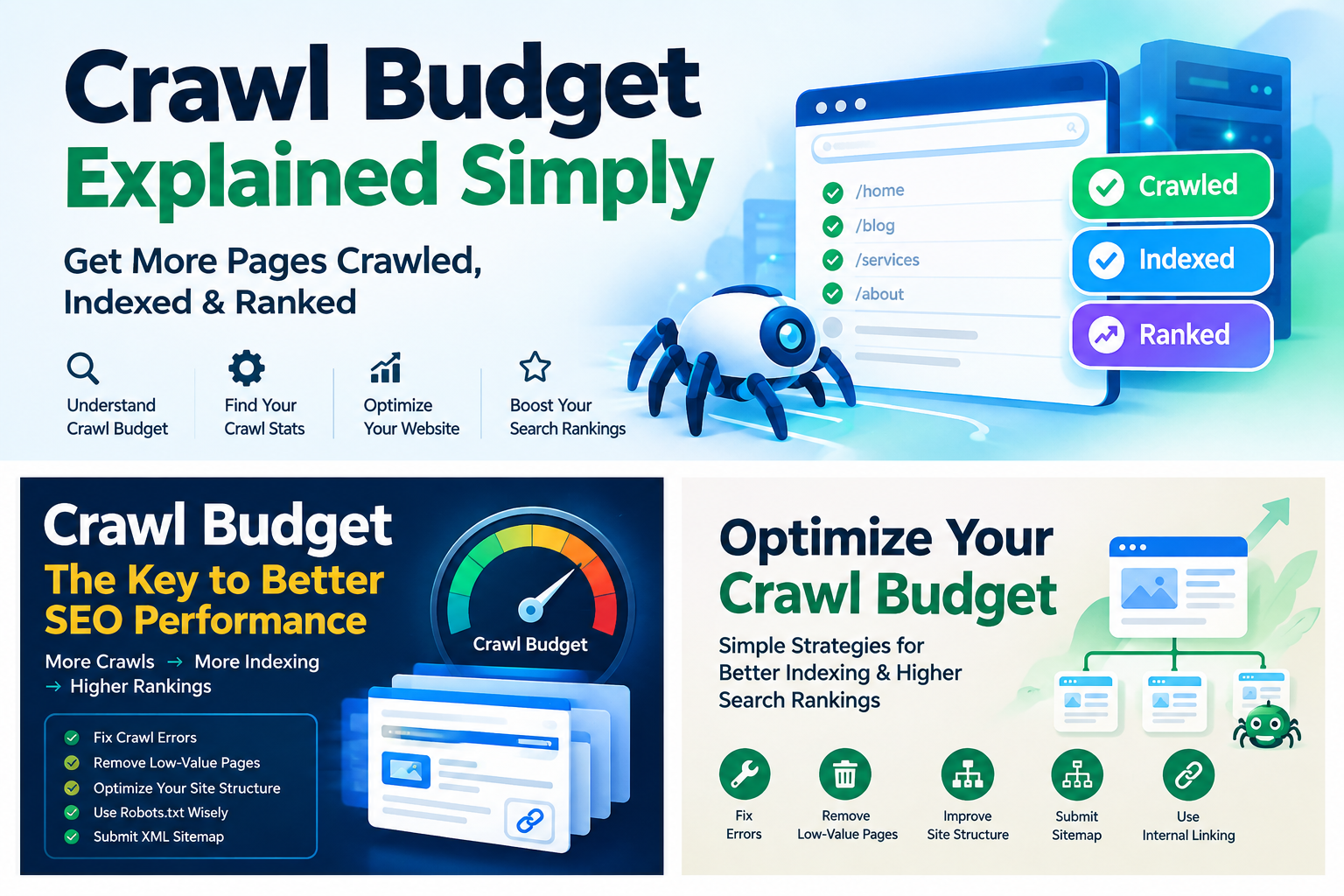
Crawl budget is an important part of technical SEO, but it is also one of the most misunderstood concepts in search engine optimization.
Many website owners assume that every website has a fixed number of pages that Google can crawl each day, and that getting Googlebot to crawl more pages will automatically improve rankings. That is not how crawl budget works.
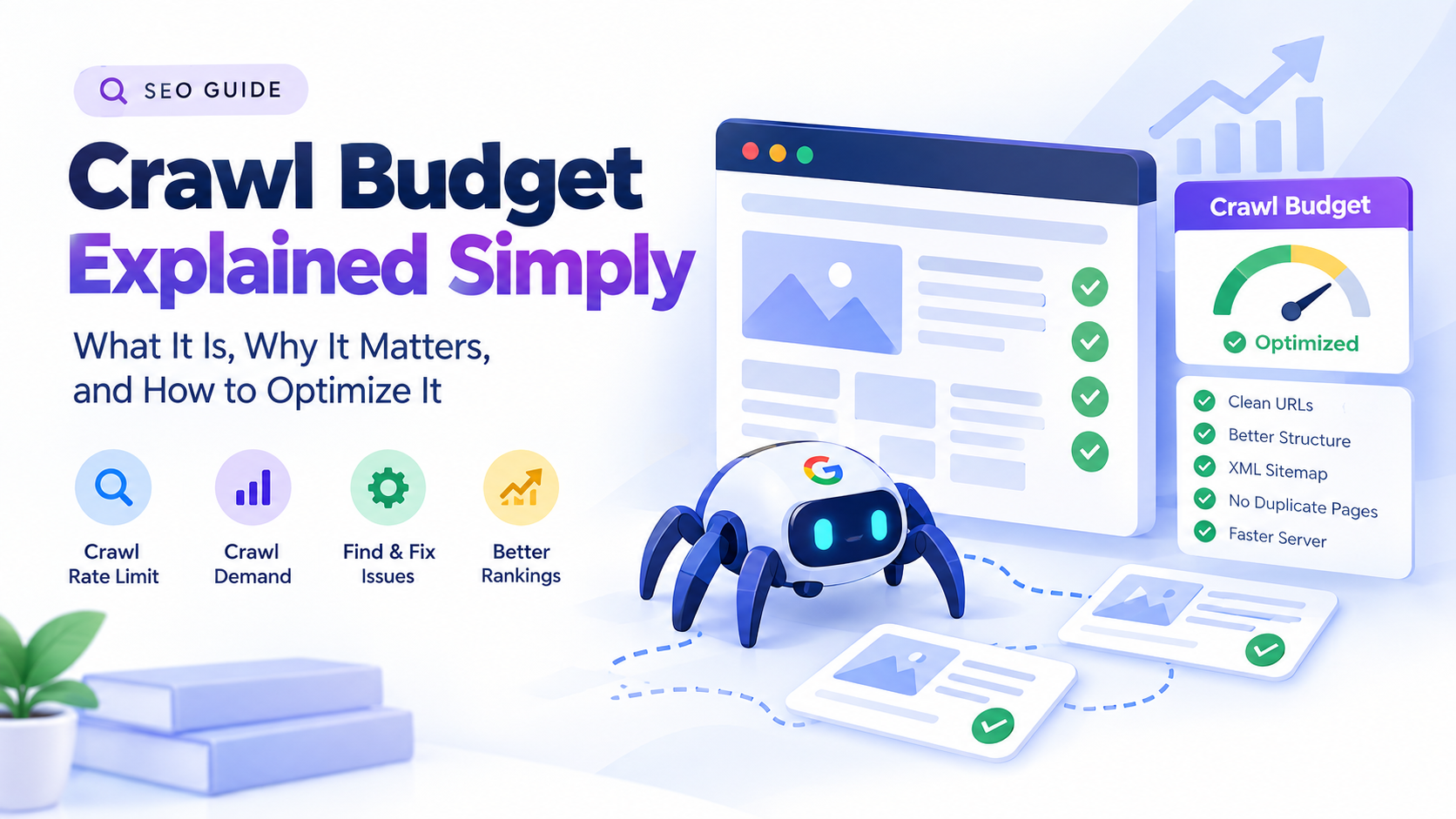
In simple terms, crawl budget describes the amount of crawling that search engines can and want to perform on a website. Google explains crawl budget through two major concepts: crawl rate limit and crawl demand. Together, these determine how many URLs Googlebot can and wants to crawl over time.
For a small website with a few hundred well-organized pages, crawl budget is usually not something you need to actively manage. Google says that sites with fewer than a few thousand URLs are generally crawled efficiently, provided there are no major technical problems.
However, crawl efficiency becomes much more important for large websites, ecommerce stores, publishing platforms, international websites, marketplaces, forums, and websites that generate thousands or millions of URLs automatically.
This guide explains what crawl budget means, how Google determines crawl activity, how to identify crawl problems, and what you can do to make your website easier and more efficient for search engine crawlers.
What Is Crawl Budget?
Crawl budget is essentially the amount of crawling that search engines are able and willing to perform on your website during a particular period.
Google describes crawl budget as the combination of:
- How much crawling your server can handle
- How much crawling Google believes your website needs
These concepts are commonly referred to as crawl rate limit and crawl demand.
The goal is not simply to make Googlebot crawl as many pages as possible.
The goal is to make sure that search engines spend their crawling resources on the URLs that matter most.
For example, imagine an ecommerce website with 500,000 product URLs. If Google spends a large portion of its crawling activity on duplicate filter URLs, tracking parameters, empty category pages, or outdated URLs, fewer crawling resources may be available for important product and category pages.
That is where crawl budget optimization becomes valuable.
Is Crawl Budget a Google Ranking Factor?
No.
This is one of the most important points to understand.
Google states that increasing crawl rate does not necessarily result in better rankings. Crawling is necessary for a page to be discovered and potentially included in search results, but crawl rate itself is not a ranking signal.
This means you should not think:
More crawling = higher rankings.
Instead, think:
Efficient crawling = better discovery and more efficient use of search engine resources.
A page generally needs to be discovered, crawled, processed, and indexed before it can appear in Google Search. Therefore, crawl efficiency can indirectly affect how quickly new or updated content becomes discoverable and processed.
But improving crawl budget alone does not guarantee better rankings.
Your content quality, relevance, links, technical accessibility, search intent satisfaction, and many other signals remain important.
Who Needs to Worry About Crawl Budget?
Not every website needs crawl budget optimization.
Google specifically indicates that most sites with fewer than a few thousand URLs are generally crawled efficiently. Google Search Console also says that the Crawl Stats report is intended primarily for advanced users and that websites with fewer than 1,000 pages generally should not need to worry about this level of crawling detail.
Crawl budget becomes more relevant when a website has:
- Hundreds of thousands of URLs
- Millions of URLs
- Large ecommerce catalogs
- Faceted navigation
- URL parameters generating many variations
- Automatically generated pages
- Large publishing archives
- International versions
- Duplicate content
- Large numbers of low-value URLs
- Server performance problems
- Frequent crawling or indexing problems
A website with 300 well-optimized pages does not usually need an advanced crawl budget strategy.
A website with 3 million URLs absolutely may.
How Does Google Determine Crawl Budget?
Google’s crawling systems consider several factors when deciding what to crawl and how frequently.
The two main concepts are crawl rate limit and crawl demand.
1. Crawl Rate Limit
The crawl rate limit represents how much crawling your website’s infrastructure can reasonably handle.
Search engines do not want to overload websites.
If a server is fast, stable, and consistently responds successfully, Google may be able to crawl more efficiently.
If the server repeatedly returns errors, times out, or becomes unavailable, crawling may slow down.
Google explains that faster servers can allow Googlebot to fetch more content over the same number of connections, while significant 5xx errors and connection timeouts can cause crawling to slow.
This is why server performance is part of crawl efficiency.
2. Crawl Demand
Crawl demand represents how much Google wants to crawl your website.
Google considers factors such as:
- URL popularity
- Content freshness
- Changes to pages
- Overall website changes
- Site moves
- Discovery of new URLs
Google specifically identifies popularity and staleness as important factors affecting crawl demand. Popular URLs tend to be crawled more often, while Google’s systems attempt to prevent pages from becoming stale in its index.
This means that not every URL on your website will necessarily be crawled at the same frequency.
A frequently updated news article may be crawled differently from an old page that has not changed for years.
Crawl Budget vs. Crawling vs. Indexing
These three concepts are related but different.
Crawling
Crawling is when a search engine accesses a URL and retrieves its content.
Indexing
Indexing happens after a search engine processes a crawled page and determines whether and how that content should be stored in its search index.
Ranking
Ranking determines where an eligible page may appear for particular searches.
These stages should not be confused.
A page can be crawled without being indexed.
A page can be indexed without ranking highly.
And increasing crawling does not automatically increase rankings.
This distinction is especially important when diagnosing SEO problems.
If Google has crawled your page but it is not indexed, the solution may not be to increase crawl activity. You may instead need to investigate content quality, duplication, canonicalization, indexing directives, internal linking, or other technical and content signals.
How to Check Crawl Activity in Google Search Console
Google Search Console provides a Crawl Stats report that shows information about Google’s crawling activity on your website.
You can access it through:
Google Search Console → Settings → Crawl Stats
The report includes information such as:
- Total crawl requests
- Total download size
- Average response time
- Host status
- Crawl responses
- File types
- Crawl purpose
- Googlebot type
Google explains that the report can help website owners identify serving problems and understand how Google is crawling their websites.
However, do not look at the number of crawl requests in isolation.
A higher number is not automatically better.
For example, 100,000 crawl requests might sound impressive, but if most of those requests are going to duplicate URLs, redirects, or low-value parameter combinations, that activity may not be useful.
The more important question is:
Is Google spending its crawling activity on the URLs that matter?
What Should You Look for in Crawl Stats?
When analyzing Google Search Console Crawl Stats, look for trends rather than obsessing over individual days.
Crawl Requests
Monitor whether crawling activity is relatively stable or whether there are unusual changes.
A sudden decline may deserve investigation if it happens alongside indexing or server problems.
A sudden increase may also be worth investigating if your server is experiencing performance issues.
Average Response Time
A consistently slow response time can indicate server performance problems.
Look at whether your hosting environment, database, caching system, CDN, or application is slowing down requests.
Host Status
Host status can reveal whether Google encountered problems accessing your website.
DNS failures, server connectivity problems, and server errors can interfere with crawling.
Crawl Responses
Look at the types of responses Googlebot receives.
You may see:
- 200 responses
- 301 redirects
- 302 redirects
- 404 responses
- 5xx server errors
- Other responses
Google Search Console counts actual URLs requested by Google, and redirect chains can result in multiple requests being recorded.
Crawl Budget and Small Websites
One of the biggest crawl budget myths is that every website must constantly optimize its crawl budget.
That is not true.
If your website has a few hundred pages and Google discovers and crawls your new content efficiently, there may be very little reason to perform aggressive crawl budget optimization.
For smaller websites, your priorities should generally be:
- Create useful content
- Make important pages accessible
- Build logical internal links
- Maintain a clean site structure
- Fix serious technical problems
- Keep your sitemap accurate
- Avoid unnecessary duplicate URLs
Do not spend hours trying to increase Google’s crawl rate when your website only has 200 pages.
The problem is often not crawl budget.
It may instead be content quality, indexing, internal linking, technical SEO, or search demand.
Crawl Budget for Large Websites
Large websites are different.
Imagine a website with 1 million URLs.
Those URLs might include:
- 300,000 product pages
- 100,000 category pages
- 250,000 filtered URLs
- 150,000 search-result URLs
- 100,000 tracking or parameter variations
- 100,000 other pages
The website may technically contain one million URLs, but not all of them have equal SEO value.
If search engine crawlers repeatedly spend resources on low-value URLs, the site’s crawl efficiency can suffer.
This is why large websites need stronger URL management.
Common Crawl Budget Problems
Several technical problems can create unnecessary crawling.
Duplicate URLs
The same content may be available through multiple URLs.
For example:
example.com/product/shoes
and:
example.com/product/shoes?color=black
and:
example.com/product/shoes?sort=price
If these URLs create unnecessary variations, crawlers may spend resources discovering and processing them.
Google identifies duplicate content and faceted navigation among the types of low-value URLs that can consume crawling resources.
Faceted Navigation
Faceted navigation is common on ecommerce websites.
A user might filter products by:
- Brand
- Color
- Size
- Price
- Material
- Rating
Every combination can potentially generate another URL.
A website with 10 filters and multiple values per filter can generate an enormous number of URL combinations.
Not every combination needs to be crawled or indexed.
URL Parameters
Parameters such as:
?sort=price
?page=2
?ref=email
?session=12345
can generate additional URLs.
Some parameters are useful and necessary.
Others create unnecessary URL variations.
Your goal is not to block every parameter automatically.
Instead, determine whether each parameter creates meaningful, indexable content.
Soft 404 Pages
A soft 404 occurs when a page effectively represents missing or unavailable content but returns a normal-looking success response instead of a proper 404 or other appropriate response.
Google has identified soft error pages as one type of low-value URL that can affect crawling efficiency on large sites.
Redirect Chains
Consider this example:
page-a → page-b → page-c
Instead of sending users and crawlers directly from page A to page C, the server creates multiple redirects.
A cleaner structure would be:
page-a → page-c
Google’s Crawl Stats documentation notes that each request in a server-side redirect chain can be counted separately in crawl statistics.
How to Optimize Crawl Budget
Crawl budget optimization is essentially about helping search engines spend their crawling resources efficiently.
Here are the most important strategies.
1. Fix Server Errors
Start with server reliability.
Repeated 5xx errors, connection failures, DNS problems, and timeouts can interfere with crawling.
Check:
- Hosting performance
- Server logs
- DNS configuration
- Database performance
- CDN configuration
- Caching
- Firewall settings
Google has specifically explained that significant 5xx errors and connection timeouts can cause crawling to slow.
You do not need the fastest server on the internet.
You need a reliable server that consistently responds to legitimate crawler requests.
2. Improve Server Response Time
A faster response can improve crawling efficiency.
Consider:
- Full-page caching
- Object caching
- CDN implementation
- Image optimization
- Database optimization
- Removing unnecessary plugins
- Optimizing server resources
- Upgrading hosting when necessary
However, do not confuse crawl optimization with Core Web Vitals.
Improving website speed is beneficial for users and technical performance, but crawl rate itself is not a ranking factor.
3. Reduce Unnecessary URL Variations
Large websites should carefully control URLs generated by:
- Filters
- Sorting
- Search pages
- Tracking parameters
- Session IDs
- Pagination
- Duplicate paths
Ask:
Does this URL represent a unique page that deserves search engine attention?
If the answer is no, investigate whether the URL can be consolidated, canonicalized, prevented from unnecessary crawling, or otherwise managed.
Do not blindly block URLs without understanding how the change affects discovery and indexing.
4. Manage Faceted Navigation
Faceted navigation can be one of the biggest crawl efficiency problems for ecommerce websites.
Suppose a store sells shoes.
A customer might create:
/shoes
then:
/shoes?brand=nike
then:
/shoes?brand=nike&color=black
then:
/shoes?brand=nike&color=black&size=10
If thousands of combinations exist, the number of URLs can grow rapidly.
Determine which filtered pages have genuine search value.
Those pages can be intentionally optimized.
Other combinations may need to be managed to prevent unnecessary crawling.
5. Improve Internal Linking
Internal links help search engines discover important pages.
Google explains that if pages are properly linked, Google can usually discover most of a website. A sitemap can provide additional help, especially for larger or more complex sites.
Create a logical internal linking structure.
Important pages should not be buried several layers deep without good reason.
For example:
Homepage → Category → Subcategory → Important Page
is generally easier to understand than an important page that can only be reached through obscure links.
Use descriptive anchor text where appropriate.
Also look for orphan pages.
An orphan page is a page with no meaningful internal links pointing to it.
6. Fix Orphan Pages
Orphan pages can be difficult for crawlers to discover through normal site navigation.
Use an SEO crawler to identify pages that exist in your sitemap or database but have few or no internal links.
Then decide whether each page should:
- Receive internal links
- Be consolidated
- Be removed
- Remain accessible but not indexed
The goal is not to force every URL into Google’s index.
The goal is to make your important content easy to discover.
7. Keep Your XML Sitemap Clean
An XML sitemap should contain URLs that you actually want search engines to discover and potentially index.
Google recommends using canonical URLs in sitemaps and explains that submitting a sitemap is a hint rather than a guarantee that Google will crawl or index every listed URL.
Avoid filling your sitemap with:
- Redirecting URLs
- 404 URLs
- Duplicate URLs
- Non-canonical URLs
- Pages you intentionally do not want indexed
A clean sitemap provides a much clearer signal about your preferred URLs.
For large websites, Google supports multiple sitemap files and sitemap index files. A single sitemap file is limited to 50,000 URLs or 50 MB uncompressed.
8. Use Robots.txt Carefully
The robots.txt file tells crawlers which URLs they are allowed to request.
It is primarily a crawling control mechanism.
It is not a reliable method for removing a page from Google’s search results. Google explicitly warns that a URL blocked by robots.txt may still appear in search results if Google discovers it through other sources.
For example:
User-agent: *
Disallow: /private/
This tells compliant crawlers not to request URLs under /private/.
But if your goal is to prevent a publicly accessible page from appearing in Google Search, robots.txt is not the correct tool.
Use an appropriate indexing control such as noindex, password protection, or removal of the content.
Robots.txt vs. Noindex
This distinction is extremely important.
Robots.txt
Controls crawling.
Noindex
Controls indexing.
Google needs to be able to crawl a page to see a noindex directive. If robots.txt prevents crawling, Google may never see the noindex instruction.
Therefore, do not automatically combine:
Disallow: /page/
with:
<meta name="robots" content="noindex">
If Google cannot crawl the page, it cannot read the noindex directive.
Choose the appropriate mechanism based on your actual objective.
9. Fix Redirect Chains
Redirects are useful and often necessary.
For example, when a page permanently moves, a 301 redirect can help transfer users and search engines to the new location.
Problems occur when redirects become unnecessarily complicated.
Instead of:
A → B → C → D
try to create:
A → D
Also update internal links so that they point directly to the final URL.
This reduces unnecessary requests and makes the site architecture cleaner.
10. Remove Unnecessary Low-Value URLs
Google’s documentation highlights several categories of low-value URLs that can consume crawling resources, including faceted navigation, duplicate content, soft errors, hacked pages, infinite spaces, and low-quality or spam content.
Review your website for pages that provide little or no unique value.
Examples may include:
- Automatically generated tag pages
- Empty category pages
- Duplicate archive pages
- Internal search results
- Printer-friendly versions
- Temporary URLs
- Unnecessary parameter combinations
- Test pages
- Old generated pages
Before removing a page, check whether it receives organic traffic, backlinks, conversions, or other meaningful value.
SEO cleanup should be based on evidence rather than deleting pages simply because they are not currently ranking.
11. Use Canonicalization Correctly
Canonical tags help search engines understand which URL should represent a group of duplicate or substantially similar URLs.
For example:
example.com/product
might be the preferred canonical URL while several parameter versions exist.
Canonicalization does not mean every duplicate URL will disappear immediately.
It is a signal that helps search engines understand your preferred URL.
For large sites, consistent canonicalization can help search engines understand the site’s URL architecture.
12. Avoid Generating Infinite URL Spaces
Some websites unintentionally create URLs that can generate virtually endless combinations.
Examples include:
- Calendar navigation
- Search parameters
- Filters
- Session identifiers
- Infinite pagination
- Automatically generated combinations
Google specifically lists “infinite spaces” among URL patterns that can create crawling problems.
If a crawler can continue discovering new URLs indefinitely, you should examine whether those URLs are genuinely useful.
13. Keep Important Pages Close to the Main Site Structure
Site architecture matters.
Important pages should generally be discoverable through a logical path from the homepage or other well-connected sections.
For example:
Homepage → Products → Category → Product
is a straightforward structure.
If an important page is buried under many unnecessary levels, discovery can become more difficult.
Internal linking also distributes signals throughout your website and helps crawlers understand relationships between pages.
14. Maintain a Healthy Sitemap and Internal Linking System
Do not rely on your XML sitemap alone.
A strong technical SEO setup uses both:
XML sitemap + internal links
The sitemap helps communicate important URLs.
Internal links help crawlers discover those URLs through the site’s architecture.
Google states that properly linked sites can often be discovered without a sitemap, but also notes that sitemaps can improve crawling of larger or more complex websites.
Does Website Speed Affect Crawl Budget?
Yes, server performance can influence crawling efficiency.
But there is an important distinction.
Server response performance affects how efficiently Googlebot can retrieve content.
Page speed as a ranking concept is a broader subject.
Google has explained that a healthy, fast server can allow more content to be crawled over the same number of connections, while repeated server errors and timeouts can cause crawling to slow.
Therefore, improving server reliability is a useful technical SEO investment.
Does More Crawl Activity Mean Better SEO?
Not necessarily.
Suppose Google crawls your website 10,000 times per day.
If those requests mostly go to useless URLs, you have not necessarily improved your SEO.
Now imagine Google crawls 2,000 URLs but those requests focus on:
- Important category pages
- New content
- Updated product pages
- High-value articles
- Canonical URLs
That may represent more efficient crawling.
The objective should therefore be crawl efficiency, not simply maximizing crawl volume.
Does Robots.txt Increase Crawl Budget?
Robots.txt can help control crawler access to areas that do not need to be crawled, but it should be used carefully.
Google says robots.txt is mainly used to manage crawler traffic and prevent crawling of specific resources. It should not be used as the primary method for preventing a page from appearing in search results.
Do not create a huge robots.txt file full of arbitrary blocks without understanding the consequences.
One incorrect rule can prevent search engines from accessing important content.
Does Noindex Save Crawl Budget?
This is more complicated than many SEO guides suggest.
Google states that a noindex page still needs to be crawled for Googlebot to see the noindex directive. Therefore, noindex is not primarily a crawl-budget control mechanism.
However, once Google processes those pages and understands that they should not be indexed, the overall crawling system can potentially focus elsewhere.
Therefore:
Use noindex to control indexing, not as your primary crawl-budget tool.
Do 404 Errors Waste Crawl Budget?
Not necessarily in the way many SEO articles claim.
Google’s current crawling documentation explains that pages returning 4xx status codes, with the exception of 429, do not waste crawl budget in the same way because Google attempted to crawl the URL and received the error response.
This is an important correction to older SEO advice.
That does not mean you should ignore 404 errors.
A large number of unexpected 404s can indicate:
- Broken internal links
- Incorrect redirects
- Deleted pages with valuable backlinks
- Poor site architecture
- Incorrect URLs in sitemaps
Fix meaningful 404 problems, but do not panic over every legitimate missing URL.
What About 5xx Errors?
5xx errors are more concerning for crawling.
They indicate server-side problems.
Repeated 5xx errors or connection timeouts can cause Google to reduce crawling because the server may not be able to handle requests reliably.
Monitor:
- 500
- 502
- 503
- 504
and investigate persistent problems.
Crawl Budget and JavaScript
Modern websites often rely heavily on JavaScript.
Search engines may need to process JavaScript resources to understand the final content of a page.
This can make technical architecture more complicated.
If important content is only available after complex client-side processing, test whether search engines can access and render that content correctly.
Also avoid unnecessarily loading huge amounts of JavaScript and resources on every page.
A technically simple, crawlable architecture is generally easier to maintain and troubleshoot.
Crawl Budget and Ecommerce SEO
Ecommerce websites are among the most common environments where crawl budget becomes important.
A store might have:
- Products
- Categories
- Brands
- Filters
- Sorting
- Search results
- Pagination
- Reviews
- Variants
- Tracking parameters
Each feature can potentially create additional URLs.
A good ecommerce crawl strategy should identify which URLs have search value and which exist primarily for user navigation.
For example, a category page such as:
/running-shoes/
may be an important SEO landing page.
But a combination such as:
/running-shoes?color=black&size=10&sort=low-to-high
may not deserve the same crawling and indexing treatment.
The correct solution depends on the website and search demand.
Crawl Budget for News Websites
News websites have a different challenge.
Content changes frequently, and new articles can be published constantly.
Crawl demand can therefore be influenced by freshness.
A news website should pay close attention to:
- XML sitemaps
- Internal links
- Article URLs
- Server performance
- Duplicate article URLs
- Pagination
- Category architecture
- Structured data
- Publication and modification information
The goal is to make new and updated content easy for search engines to discover.
Crawl Budget for International Websites
International websites may have multiple language and regional versions.
For example:
example.com/en/
example.com/fr/
example.com/de/
example.com/ar/
Each version can create additional URLs.
International SEO therefore requires careful management of:
- Hreflang
- Canonical URLs
- Sitemaps
- Internal links
- Duplicate translations
- Redirects
- Language selectors
Do not accidentally create thousands of unnecessary language combinations.
Technical SEO Checklist for WordPress Sites
Can I put AI on my website? –
How do I choose main keywords for SEO?
Crawl Budget and Sitemaps for AI Search
Search is increasingly incorporating AI-powered experiences.
This does not change the fundamental importance of crawlability and discoverability.
Search systems still need access to content before they can process and potentially surface it.
Bing has specifically discussed the role of sitemaps and IndexNow in helping content remain discoverable in AI-powered search experiences such as Copilot. Bing recommends accurate lastmod information in sitemaps and describes IndexNow as a way to notify participating search engines about URL changes.
This does not mean that submitting a sitemap guarantees visibility in AI results.
Instead, it reinforces a broader technical principle:
Make important content easy for search engines to discover, crawl, understand, and revisit when it changes.
Crawl Budget and Bing
Google is not the only search engine that manages crawler activity.
Bing provides its own crawling controls and diagnostic tools.
Bing Webmaster Tools includes:
- Crawl Control
- Site Scan
- Robots.txt testing
- Sitemap management
- URL inspection and diagnostics
Bing also allows website owners to control crawler speed through its Crawl Control feature.
Bing recommends using sitemaps to help crawlers discover URLs that might otherwise be difficult to find.
For websites targeting both Google and Bing, technical SEO should therefore consider both ecosystems.
How to Create a Crawl-Friendly Website
A crawl-friendly website has a clear architecture.
A simplified structure might look like:
Homepage
↓
Main Categories
↓
Subcategories
↓
Important Pages
↓
Supporting Content
Each important page should be accessible through meaningful internal links.
The website should also minimize unnecessary URL duplication.
Crawl Budget Optimization Checklist
Use this checklist when auditing a large website.
Technical Health
- Check server response times
- Monitor 5xx errors
- Check DNS problems
- Monitor connection failures
- Review hosting performance
- Verify CDN configuration
URL Management
- Identify duplicate URLs
- Analyze URL parameters
- Review faceted navigation
- Identify infinite URL spaces
- Remove unnecessary generated pages
- Review canonical URLs
Internal Linking
- Identify orphan pages
- Link important pages from relevant content
- Improve site hierarchy
- Reduce unnecessary click depth
- Update broken internal links
Sitemap
- Maintain an accurate XML sitemap
- Include canonical URLs
- Remove redirected URLs
- Remove 404 URLs
- Keep last modification information accurate
- Submit the sitemap through Search Console
Robots.txt
- Check for accidental blocks
- Make sure important resources are accessible
- Avoid using robots.txt as a substitute for noindex
- Test changes before deploying them
Redirects
- Remove redirect chains
- Point internal links directly to final URLs
- Use appropriate permanent redirects when pages move
- Monitor redirect-heavy sections
Common Crawl Budget Mistakes
Mistake 1: Trying to Increase Crawl Rate on a Small Website
If your site has only a few hundred pages, crawl budget is probably not your main SEO problem.
Focus on content, internal linking, technical health, and indexing.
Mistake 2: Blocking Everything in Robots.txt
A huge robots.txt file is not automatically better.
Incorrect blocking can prevent search engines from accessing important resources.
Mistake 3: Using Noindex as a Crawl Control Tool
Noindex controls indexing.
It does not prevent the initial crawl.
Mistake 4: Obsessing Over 404 Errors
A normal website will have some 404 URLs.
The important question is whether they indicate broken architecture or valuable pages that were accidentally removed.
Mistake 5: Measuring Success by Crawl Count
More crawling is not automatically better.
Measure whether important pages are being discovered, crawled, and indexed efficiently.
Mistake 6: Ignoring Server Problems
A website with excellent content but persistent server failures can create serious crawling problems.
Mistake 7: Filling the Sitemap With Every URL
Your sitemap should communicate your preferred URLs, not become a database dump of every URL your website has ever generated.
Best Tools for Crawl Budget Optimization
Several tools can help you analyze crawling and technical SEO.
Google Search Console
Google Search Console should be your first source for understanding how Google interacts with your website.
The Crawl Stats report provides information about:
- Crawl requests
- Response time
- Host status
- Response codes
- File types
- Crawl purpose
- Googlebot types
Screaming Frog
Screaming Frog can crawl websites and help identify technical SEO issues such as:
- Broken links
- Redirect chains
- Duplicate pages
- Canonical problems
- Metadata issues
- Orphan URLs when combined with other data sources
- Site architecture problems
Semrush
Semrush Site Audit can help identify technical SEO problems across large websites.
It can be useful for finding:
- Redirect problems
- Broken links
- Duplicate content
- Crawlability issues
- Internal linking problems
Ahrefs
Ahrefs Site Audit provides technical SEO crawling and can help identify:
- Broken pages
- Redirect chains
- Internal linking problems
- Duplicate content
- Crawlability issues
Bing Webmaster Tools
Bing Webmaster Tools includes Site Scan, Crawl Control, sitemap management, and robots.txt tools.
How to Perform a Crawl Budget Audit
If you manage a large website, follow this process.
Step 1: Determine Your URL Inventory
Find out approximately how many URLs your website can generate.
Do not look only at URLs in your CMS.
Include:
- Product URLs
- Category URLs
- Filter URLs
- Parameter URLs
- Search URLs
- Pagination
- Media URLs
- Language versions
Step 2: Compare URLs With Search Console Data
Compare your known URL inventory with URLs Google is actually requesting.
This can reveal sections of your website receiving unexpected crawling activity.
Step 3: Analyze Crawl Responses
Look at the percentage of:
- 200 responses
- Redirects
- 404s
- 5xx errors
- Other responses
Step 4: Find Low-Value Crawl Patterns
Look for repeated crawling of:
- Parameters
- Duplicate URLs
- Filters
- Search pages
- Redirects
- Temporary pages
Step 5: Improve Internal Linking
Make sure important pages have strong internal links.
Step 6: Clean Your Sitemap
Only include URLs that represent pages you actually want search engines to discover and potentially index.
Step 7: Monitor Changes
After making technical changes, monitor crawl activity over time.
Do not expect every change to produce an immediate dramatic difference.
Frequently Asked Questions About Crawl Budget
What is crawl budget in SEO?
Crawl budget is the amount of crawling that a search engine can and wants to perform on a website. For Google, it can be understood through crawl rate limit and crawl demand.
Is crawl budget a ranking factor?
No. Google states that crawl rate is not a ranking signal. Crawling is necessary for content to be discovered and potentially indexed, but increasing crawl activity does not automatically improve rankings.
Do small websites need crawl budget optimization?
Usually not. Google says that websites with fewer than a few thousand URLs are generally crawled efficiently, assuming there are no major technical problems.
How can I check my crawl budget?
Google Search Console provides a Crawl Stats report under Settings. It shows crawl requests, response times, host status, response types, file types, crawl purpose, and Googlebot type.
Does a sitemap improve crawl budget?
A sitemap helps search engines discover important URLs, especially on large or complex websites. However, submitting a sitemap does not guarantee that Google will crawl or index every URL listed.
Does robots.txt improve crawl efficiency?
Robots.txt can help manage crawler access and prevent unnecessary crawling of certain areas, but it must be used carefully. It should not be treated as a method for reliably removing URLs from Google’s search results.
Does noindex stop Google from crawling a page?
No. Google needs to crawl a page to see its noindex directive. Therefore, noindex should primarily be used to control indexing rather than as a direct crawl-budget mechanism.
Do redirects consume crawl budget?
Redirect requests are part of crawling activity, and Google Search Console counts requests in redirect chains separately. Removing unnecessary redirect chains can make crawling more efficient.
Are 404 pages bad for crawl budget?
Not necessarily. Google’s current documentation states that 4xx responses, except 429, do not waste crawl budget in the same manner as successful pages or server errors. However, large numbers of unexpected 404s can still indicate technical problems that should be investigated.
Can faster hosting improve crawl efficiency?
Yes. Google explains that faster, healthier servers can allow Googlebot to crawl more content over the same number of connections, while significant server errors and timeouts can slow crawling.
How do I optimize crawl budget for ecommerce?
Start by controlling unnecessary URLs generated by filters, sorting, parameters, duplicate product URLs, and faceted navigation. Then improve internal linking, maintain a clean sitemap, and ensure the server responds reliably.
How does crawl budget affect AI search?
AI-powered search systems still depend on accessible, discoverable content. Maintaining strong crawlability, accurate sitemaps, internal links, and updated content can support discovery and freshness. Bing has specifically highlighted sitemaps and IndexNow as tools for keeping content discoverable in AI-powered search experiences.
Final Thoughts
Crawl budget is not about forcing Google to crawl your website as many times as possible.
It is about creating a website where search engine crawlers can spend their resources efficiently.
For most small websites, the solution is not complicated. Keep the site technically healthy, create useful content, use internal links, maintain a clean sitemap, and avoid unnecessary URL duplication.
For large websites, crawl efficiency becomes much more important.
Analyze your URL structure, control faceted navigation, reduce duplicate URLs, fix redirect chains, monitor server errors, improve internal linking, and make sure your XML sitemap contains the URLs that actually matter.
Most importantly, do not confuse crawling with ranking.
More crawling does not automatically mean higher rankings.
The real objective is to make your most valuable content easy for search engines to discover, crawl, understand, process, and revisit when it changes.
When your technical architecture supports those goals, crawl budget optimization becomes a practical part of a broader technical SEO strategy rather than a number you simply try to increase.