XML Sitemaps Best Practices: Complete SEO Guide for 2026
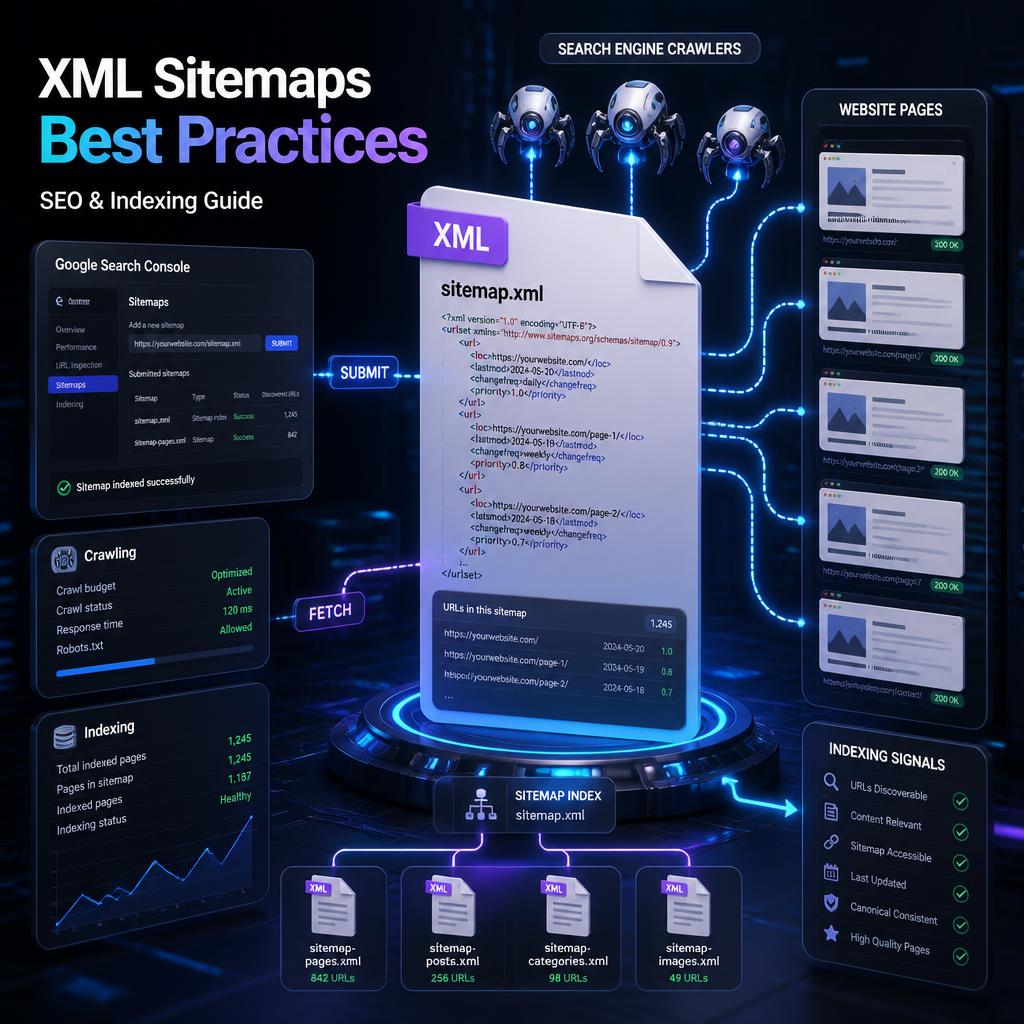
XML sitemaps are one of the most useful technical SEO tools for helping search engines discover important URLs on a website. A well-structured sitemap gives search engines a reliable list of the pages, videos, images, and other content you want them to know about.
However, having a sitemap is not enough. An effective XML sitemap should contain the right URLs, use accurate metadata, stay within technical limits, and be regularly monitored for errors.
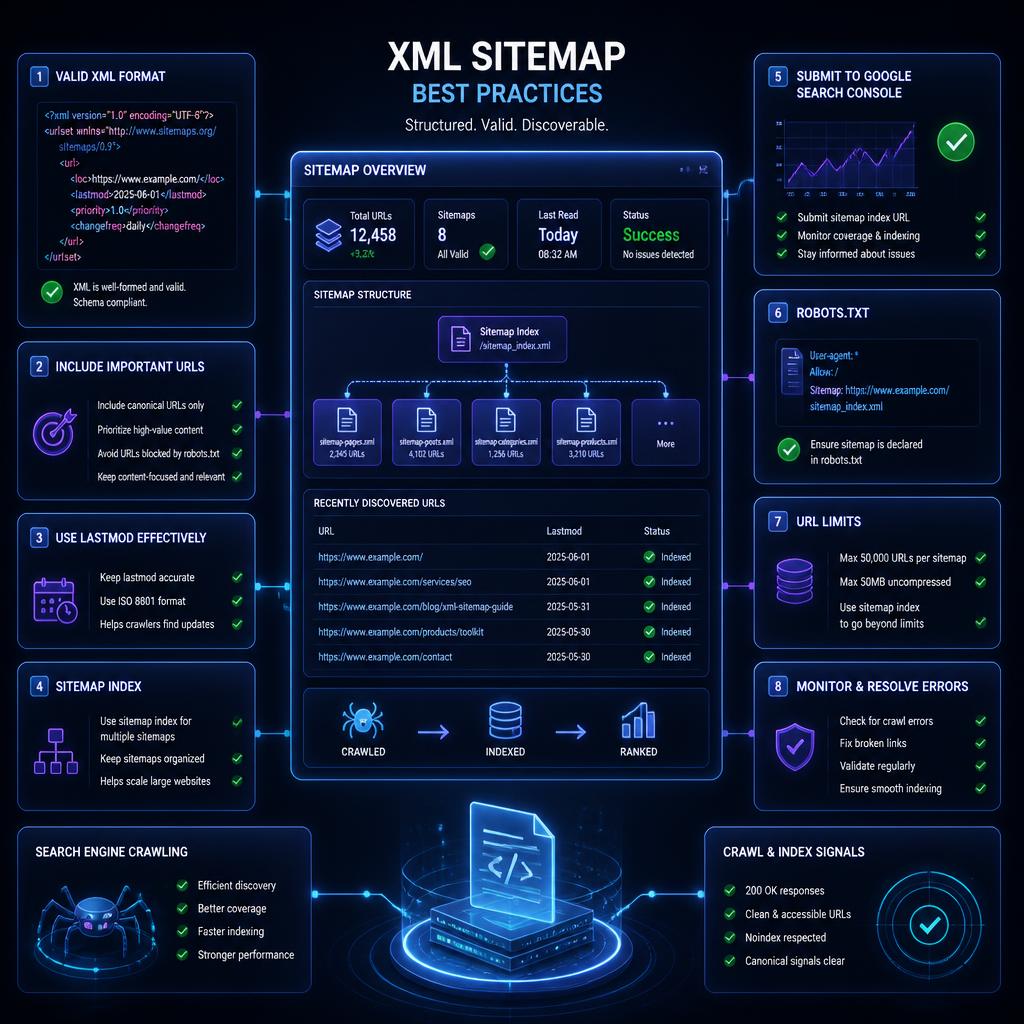
The most important XML sitemap best practices are: include only canonical and indexable URLs, use accurate <lastmod> values, keep each sitemap within the 50,000-URL and 50 MB limits, submit it through Google Search Console and Bing Webmaster Tools, reference it in robots.txt, and regularly check for indexing and processing problems.
This guide explains how XML sitemaps work, what they should contain, how to optimize them for large websites, and how to avoid common sitemap mistakes.

What Is an XML Sitemap?
An XML sitemap is a structured file that lists URLs on a website and provides search engines with information about those URLs.
A basic sitemap can look like this:
<?xml version="1.0" encoding="UTF-8"?>
<urlset xmlns="http://www.sitemaps.org/schemas/sitemap/0.9">
  <url>
    <loc>https://www.example.com/</loc>
    <lastmod>2026-09-20</lastmod>
  </url>
  <url>
    <loc>https://www.example.com/blog/</loc>
    <lastmod>2026-09-18</lastmod>
  </url>
</urlset>
The most important element is <loc>, which identifies the URL.
The <lastmod> element can tell search engines when the content at a URL was last significantly modified. Google says it can use accurate and consistently verifiable lastmod information, while inaccurate dates may be ignored.
An XML sitemap is therefore not simply a list of every URL on your website. It should represent the URLs you consider important and eligible to appear in search results.
Why Are XML Sitemaps Important for SEO?
XML sitemaps primarily help with URL discovery and crawling.
Google can discover many pages through internal links, but sitemaps can be particularly useful for large, new, complex, or frequently updated websites. Google specifically identifies large websites, newer sites with relatively few external links, and sites with rich media or news content as situations where sitemaps can be especially useful.
A sitemap can help search engines:
- Discover new URLs
- Discover updated URLs
- Understand which URLs you consider important
- Find pages that may be difficult to discover through internal links
- Process large websites more efficiently
- Understand content update dates through accurate
lastmodvalues - Discover specialized content such as images, videos, and news
However, there is an important distinction between discovery, crawling, and indexing.
A URL appearing in a sitemap does not mean Google must crawl or index it. Google describes sitemaps as signals or hints rather than guarantees of crawling or indexing.
Do All Websites Need an XML Sitemap?
No. Not every website technically needs a sitemap.
Google says smaller websites with around 500 pages or fewer may not need one if their important pages are comprehensively linked internally. However, many websites can still benefit from maintaining a sitemap because it provides search engines with an additional discovery mechanism.
An XML sitemap becomes particularly useful when:
- Your website contains thousands of URLs
- You regularly publish new content
- Your website is relatively new
- Your internal linking structure is complex
- Some important pages are difficult to discover through navigation
- You publish news content
- You have important image or video content
- You operate an ecommerce website
- Your website contains many product pages
- Your site frequently changes
- You manage multiple content categories
For large websites, sitemap management should be considered part of the technical SEO process rather than a one-time setup.
XML Sitemap Best Practices
1. Include Only Important, Indexable URLs
One of the most important sitemap rules is simple:
Only include URLs that you want search engines to crawl and potentially index.
A sitemap should not become a database export containing every URL generated by your website.
Good sitemap candidates generally include:
- Canonical pages
- Important blog posts
- Product pages
- Category pages
- Service pages
- Location pages
- Important landing pages
- Other valuable indexable content
Avoid filling your sitemap with URLs that should not appear in search results.
For example, you generally should not intentionally include:
- Redirecting URLs
- URLs returning 404 errors
- Duplicate URLs
- Non-canonical URLs
- URLs blocked from crawling
- Pages marked
noindex - Temporary URLs
- Internal search results
- Unimportant parameter variations
Google recommends including the canonical URLs that you want to appear in search results.
2. Use Canonical URLs in Your Sitemap
Canonicalization is particularly important when a website has multiple URLs that lead to similar or identical content.
Suppose these URLs exist:
https://example.com/product/
https://example.com/product/?color=red
https://example.com/product/?source=email
If the preferred canonical URL is:
https://example.com/product/
then the sitemap should normally contain the canonical version rather than every parameter variation.
The sitemap should reinforce your preferred URL structure instead of creating additional ambiguity.
A useful rule is:
If you don’t want a URL indexed, it generally should not be included in your XML sitemap.
3. Use Absolute URLs
Sitemap URLs should use complete, absolute URLs.
Use:
https://www.example.com/blog/seo-guide/
rather than:
/blog/seo-guide/
Google specifically recommends fully qualified absolute URLs in sitemaps.
Make sure the sitemap consistently uses the correct:
- Protocol
- Domain
- Subdomain
- URL path
For example, don’t mix HTTP and HTTPS versions if HTTPS is the canonical site version.
4. Keep Your Sitemap Updated
Your sitemap should reflect meaningful changes to your website.
When you publish a new article, product, or important landing page, the corresponding URL should eventually appear in the sitemap.
When content is permanently removed, the URL should be removed from the sitemap.
When significant content is updated, its <lastmod> value should reflect the actual modification.
The ideal approach is automation.
Most modern CMS platforms can automatically generate and update sitemaps, reducing the risk of stale sitemap data.
Google recommends automatically generating sitemaps for websites with more than a few dozen URLs rather than manually maintaining large files.
5. Use <lastmod> Correctly
<lastmod> is one of the most useful sitemap attributes when implemented accurately.
For example:
<lastmod>2026-09-20</lastmod>
The date should represent the last significant modification to the page content.
Do not update every <lastmod> value simply because the sitemap file itself was regenerated.
For example, if an article was last meaningfully updated on September 10, don’t change its lastmod to September 20 merely because your WordPress sitemap regenerated on September 20.
Google says accurate and consistently verifiable lastmod values can be used to understand when content was significantly updated.
Bing has also emphasized accurate lastmod values and specifically warns against setting them to the sitemap generation time when the underlying content did not change.
What Counts as a Significant Update?
Examples can include:
- Major changes to the main content
- Substantial updates to an article
- Important changes to structured data
- Significant changes to links or page information
A minor automatic change, such as updating a copyright year, should not necessarily trigger a new lastmod date.
6. Don’t Rely on changefreq
Older sitemap guides often recommend values such as:
<changefreq>daily</changefreq>
or:
<changefreq>weekly</changefreq>
These recommendations are outdated for Google.
Google states that it ignores <changefreq> and <priority> in XML sitemaps.
Bing has likewise stated that changefreq and priority do not influence how it crawls or ranks content.
Therefore, modern sitemap optimization should focus much more on:
- Correct URLs
- Canonicalization
- Accurate
lastmod - Proper sitemap structure
- Crawl accessibility
- Search Console monitoring
rather than trying to manipulate search engines with artificial priority or frequency values.
7. Don’t Use <priority> as an SEO Ranking Signal
A common misconception is that setting:
<priority>1.0</priority>
makes a page more important in Google’s rankings.
It does not.
Google explicitly ignores the <priority> value in sitemaps.
Therefore, a sitemap like this is unnecessary for Google:
<priority>1.0</priority>
Instead, make important pages genuinely important through:
- Internal linking
- Clear site architecture
- High-quality content
- Relevant navigation
- Appropriate canonicalization
The sitemap should communicate URL inventory and useful metadata rather than attempt to assign ranking scores.
8. Respect Sitemap Size Limits
A single sitemap file can contain a maximum of:
- 50,000 URLs
- 50 MB uncompressed
If your website exceeds either limit, divide your URLs into multiple sitemap files.
For example:
sitemap-posts.xml
sitemap-pages.xml
sitemap-products.xml
sitemap-categories.xml
This approach can make large websites easier to manage and troubleshoot.
9. Use a Sitemap Index for Large Websites
If you have multiple sitemap files, you can create a sitemap index.
Example:
<?xml version="1.0" encoding="UTF-8"?>
<sitemapindex xmlns="http://www.sitemaps.org/schemas/sitemap/0.9">

  <sitemap>
    <loc>https://www.example.com/sitemap-posts.xml</loc>
  </sitemap>

  <sitemap>
    <loc>https://www.example.com/sitemap-products.xml</loc>
  </sitemap>

  <sitemap>
    <loc>https://www.example.com/sitemap-pages.xml</loc>
  </sitemap>

</sitemapindex>
A sitemap index allows search engines to discover multiple sitemap files from one central file.
Google’s documentation states that an individual sitemap index can contain up to 50,000 sitemap references.
A large ecommerce website, for example, might organize its sitemap architecture like this:
sitemap_index.xml
│
├── posts.xml
├── pages.xml
├── products-1.xml
├── products-2.xml
├── categories.xml
└── images.xml
This structure makes it easier to identify problems with specific sections of a website.
AEO vs GEO vs SEO: Complete Comparison 2026
GEO vs SEO: What You Need to Know in 2026
10. Place Your Sitemap in an Appropriate Location
A common location is:
https://www.example.com/sitemap.xml
Google recommends hosting the sitemap at the site root when possible. When a sitemap is not submitted through Search Console, its location can affect which URLs it applies to based on directory hierarchy.
For most websites, placing the sitemap at the root is a straightforward solution.
11. Add Your Sitemap to robots.txt
You can reference your sitemap from the site’s robots.txt file.
For example:
User-agent: *
Disallow: /admin/

Sitemap: https://www.example.com/sitemap.xml
The Sitemap: directive tells crawlers where they can find the sitemap.
Google supports sitemap references in robots.txt, and Bing also recommends this method.
Adding the sitemap to robots.txt is useful because it provides a standardized discovery path without requiring you to manually submit the sitemap repeatedly.
12. Submit Your Sitemap to Google Search Console
Google Search Console provides a dedicated Sitemaps report where website owners can submit and monitor sitemap files.
After submitting your sitemap, you can monitor information such as:
- Whether Google successfully processed the sitemap
- Processing errors
- Discovered URLs
- Sitemap status
However, submitting a sitemap does not guarantee that Google will crawl or index every URL inside it. Google explicitly describes sitemap submission as a hint rather than a guarantee.
Recommended Process
- Verify your website in Google Search Console.
- Open the Sitemaps report.
- Enter your sitemap URL.
- Submit the sitemap.
- Check the processing status.
- Investigate errors.
- Monitor indexing separately.
13. Submit Your Sitemap to Bing Webmaster Tools
Bing Webmaster Tools also supports XML sitemap submission and monitoring.
Bing provides sitemap reporting that can show:
- Submitted sitemaps
- Discovered sitemaps
- Processing status
- Number of discovered URLs
- Sitemap errors
- Indexing information
Bing also supports discovering sitemaps through the robots.txt file.
14. Keep Your Sitemap Accessible to Search Engine Crawlers
A sitemap is useless if search engine crawlers cannot access it.
Check that:
- The sitemap returns HTTP 200
- It is not blocked by robots.txt
- It is not protected by a login
- It isn’t returning a server error
- The XML is valid
- URLs inside it are crawlable
- The server responds reliably
Your robots.txt configuration should also avoid accidentally blocking important pages or the sitemap itself.
Bing specifically recommends checking robots.txt when sitemap crawling problems occur.
15. Use UTF-8 Encoding
XML sitemap files should use UTF-8 encoding.
A typical declaration is:
<?xml version="1.0" encoding="UTF-8"?>
Correct encoding is especially important for websites containing:
- Arabic
- Chinese
- Japanese
- European characters
- Special characters
- Internationalized URLs
XML values also need appropriate entity escaping.
For example, special characters such as & must be properly encoded.
16. Validate Your Sitemap
Before relying on a sitemap, verify that it is technically valid.
Check for:
- XML syntax errors
- Invalid URLs
- Incorrect encoding
- Missing required elements
- Duplicate entries
- Broken URLs
- Incorrect namespaces
- Invalid dates
- URLs returning errors
You should also open the sitemap directly in a browser and inspect its contents.
Search Console and Bing Webmaster Tools can provide additional processing and error information.
17. Avoid Redirect URLs in Your Sitemap
A sitemap should generally contain the final destination URLs rather than URLs that redirect.
For example, if:
https://example.com/old-page/
redirects to:
https://example.com/new-page/
the sitemap should normally contain:
https://example.com/new-page/
rather than the redirecting URL.
This keeps the sitemap cleaner and gives search engines a more accurate representation of the URLs you want indexed.
18. Avoid 404 and 410 URLs
Don’t leave permanently deleted URLs in your sitemap.
If a page has been removed and intentionally returns:
404 Not Found
or:
410 Gone
remove that URL from the sitemap.
A sitemap full of outdated URLs creates unnecessary noise and makes monitoring more difficult.
19. Don’t Include noindex Pages
A common technical SEO mistake is placing URLs marked with:
<meta name="robots" content="noindex">
inside the XML sitemap.
The sitemap should generally represent pages you want search engines to consider for indexing.
If a page is intentionally excluded from search results, remove it from the sitemap.
This is particularly important for websites using SEO plugins that automatically generate sitemap files.
20. Monitor Sitemap-to-Index Coverage
Submitting a sitemap is only the beginning.
One of the most useful technical SEO checks is comparing:
URLs submitted in the sitemap
against:
URLs actually indexed by search engines.
For example, if your sitemap contains 10,000 URLs but only a small portion are indexed, you should investigate why.
Possible explanations include:
- Low-quality content
- Duplicate content
- Canonicalization problems
noindexdirectives- Redirects
- Server errors
- Crawl restrictions
- Newly published URLs
- Content that search engines choose not to index
Bing’s sitemap reporting includes information about indexed and non-indexed URLs and can help identify exclusion reasons.
Remember that a sitemap does not override search engine quality or indexing decisions.
XML Sitemaps for WordPress Websites
WordPress websites can usually generate XML sitemaps automatically through the CMS or SEO plugins.
Popular SEO solutions can generate sitemap files for:
- Posts
- Pages
- Categories
- Tags
- Custom post types
- Images
- Other content types
The important task is not simply enabling the sitemap.
You should review what the sitemap actually contains.
For example, if your WordPress website has thin tag archives that you intentionally set to noindex, they generally should not appear as important sitemap URLs.
Similarly, if certain custom post types are not intended for search visibility, review whether they should be included.
XML Sitemap Best Practices for Ecommerce Websites
Ecommerce websites often have thousands or millions of URLs, making sitemap management particularly important.
An ecommerce sitemap should prioritize valuable indexable URLs such as:
- Product pages
- Important category pages
- Subcategory pages
- Brand pages
- Editorial buying guides
Be careful with:
- Filter URLs
- Sorting parameters
- Session URLs
- Internal search pages
- Duplicate product URLs
- Tracking parameters
- Out-of-stock pages
- Discontinued products
A large ecommerce website can divide sitemaps by content type or product groups.
For example:
sitemap_index.xml

products-1.xml
products-2.xml
products-3.xml
categories.xml
brands.xml
blog.xml
This structure also makes it easier to diagnose indexing problems.
XML Sitemaps for Large Websites
Large websites should treat sitemaps as an organized system rather than a single file.
Useful sitemap segmentation can include:
By Content Type
posts.xml
pages.xml
products.xml
categories.xml
By Geographic Location
us.xml
uk.xml
ca.xml
au.xml
By Product Group
electronics.xml
fashion.xml
home.xml
software.xml
By URL Volume
products-1.xml
products-2.xml
products-3.xml
The best structure depends on your website architecture.
The goal is to create a sitemap system that remains accurate, scalable, and easy to troubleshoot.
XML Sitemaps and JavaScript Websites
Modern websites may use JavaScript frameworks to dynamically render content.
Although search engines can process JavaScript, relying exclusively on client-side discovery can make technical SEO more complicated.
A sitemap provides an additional URL discovery mechanism.
For JavaScript-heavy websites, make sure that:
- Important URLs are included in the sitemap
- URLs are accessible to crawlers
- Internal links are crawlable
- Canonical tags are correct
- The rendered page contains meaningful content
- The sitemap reflects the actual URL structure
The sitemap should complement good technical architecture rather than compensate for poor internal linking.
How to Automate SEO for WordPress Websites
Can Google Read JavaScript? Unlocking Search Engine SEO
XML Sitemaps and AI Search
XML sitemaps are increasingly relevant to the broader search ecosystem, including AI-powered search experiences.
Bing has specifically discussed sitemaps in the context of AI-powered search and emphasizes accurate sitemap data, meaningful lastmod values, and comprehensive URL coverage. Bing also recommends combining sitemaps with IndexNow for faster notification of individual content changes.
This does not mean that an XML sitemap guarantees visibility in AI-generated answers.
Instead, think of the sitemap as part of the technical foundation that helps search systems discover and revisit your content.
For AI-search visibility, the broader strategy still includes:
- Crawlable pages
- High-quality content
- Clear site architecture
- Accurate structured data where appropriate
- Strong internal linking
- Authoritative external references
- Consistent and up-to-date information
The sitemap supports discoverability; it does not replace content quality.
XML Sitemap vs HTML Sitemap
An XML sitemap and an HTML sitemap serve different purposes.
| Feature | XML Sitemap | HTML Sitemap |
|---|---|---|
| Primary audience | Search engines | Human visitors |
| Format | XML | HTML |
| Main purpose | URL discovery | Site navigation |
| Usually submitted to Search Console | Yes | No |
| Useful for large websites | Yes | Yes |
| Visible to visitors | Usually no | Yes |
An XML sitemap should not be considered a replacement for strong internal linking or human-friendly navigation.
Your website should ideally have a logical navigation system and crawlable internal links in addition to its XML sitemap.
XML Sitemap vs Robots.txt
These files have different jobs.
XML sitemap: tells search engines about URLs you want them to discover.
robots.txt: provides crawling instructions about which areas crawlers may or may not access.
For example:
User-agent: *
Disallow: /admin/

Sitemap: https://example.com/sitemap.xml
A robots.txt file should not be used as a substitute for a sitemap.
Likewise, a sitemap should not be used as a replacement for robots.txt.
They work together as different parts of technical SEO.
Common XML Sitemap Mistakes
Mistake 1: Including Every URL
More URLs are not automatically better.
Your sitemap should contain relevant URLs that you want search engines to consider.
Mistake 2: Using Fake lastmod Dates
Changing every lastmod value whenever the sitemap is generated can reduce the usefulness of the signal.
Use the actual meaningful content modification date.
Mistake 3: Relying on priority
Google ignores the priority value, so it should not be treated as a ranking factor.
Mistake 4: Leaving Deleted URLs
Remove permanently deleted URLs instead of keeping them indefinitely.
Mistake 5: Including Redirects
Use final destination URLs rather than redirecting URLs.
Mistake 6: Including noindex Pages
Keep your sitemap aligned with your indexing strategy.
Mistake 7: Exceeding Technical Limits
Remember the 50,000-URL and 50 MB limits per sitemap file.
Mistake 8: Never Monitoring the Sitemap
A sitemap can become outdated due to website migrations, plugin changes, URL restructuring, or CMS configuration changes.
Regular monitoring prevents these problems from going unnoticed.
How to Audit an XML Sitemap
A practical sitemap audit can follow these steps.
Step 1: Find Your Sitemap
Try common locations such as:
https://example.com/sitemap.xml
or inspect:
https://example.com/robots.txt
Step 2: Check HTTP Status
The sitemap should be accessible and return a successful response.
Step 3: Check XML Validity
Make sure the XML structure is valid.
Step 4: Review URLs
Look for:
- 404 URLs
- Redirects
noindexURLs- Duplicate URLs
- Non-canonical URLs
- Blocked URLs
Step 5: Check lastmod
Verify that dates correspond to meaningful content changes.
Step 6: Check Sitemap Size
Make sure each sitemap remains within the applicable technical limits.
Step 7: Review Search Console
Check whether Google reports processing or sitemap-related errors.
Step 8: Review Bing Webmaster Tools
Check sitemap processing and indexing information in Bing Webmaster Tools.
Step 9: Compare Sitemap URLs With Indexed URLs
Large differences should be investigated rather than automatically interpreted as a penalty.
XML Sitemap Checklist for 2026
Use this checklist when auditing your website:
- Sitemap exists
- Sitemap is accessible
- Sitemap uses valid XML
- Sitemap uses UTF-8 encoding
- URLs use absolute URLs
- URLs use the preferred HTTPS version
- Canonical URLs are included
- Important indexable pages are included
-
noindexpages are excluded - Redirect URLs are excluded
- 404 URLs are removed
- Duplicate URLs are removed
- Accurate
lastmodvalues are used -
changefreqis not relied upon -
priorityis not treated as a ranking signal - Sitemap stays below 50,000 URLs
- Sitemap stays below 50 MB uncompressed
- Large sites use sitemap indexes
- Sitemap is referenced in robots.txt
- Sitemap is submitted to Google Search Console
- Sitemap is submitted to Bing Webmaster Tools
- Sitemap errors are monitored
- Sitemap-to-index coverage is reviewed
- Sitemap generation is automated where possible
Best Tools for XML Sitemap Management
Google Search Console
Google Search Console is essential for submitting and monitoring XML sitemaps in Google.
It can help you identify sitemap processing problems and understand how Google is handling the submitted URLs.
Bing Webmaster Tools
Bing Webmaster Tools provides sitemap submission, processing information, URL discovery data, and sitemap indexing insights.
Screaming Frog
Screaming Frog can crawl websites and help identify technical SEO problems, including URL issues relevant to sitemap auditing.
WordPress SEO Plugins
WordPress SEO plugins can automatically generate XML sitemaps and keep them updated as your website changes.
The important step is to review the generated sitemap rather than assuming its configuration is automatically perfect.
Frequently Asked Questions About XML Sitemaps
What is an XML sitemap?
An XML sitemap is a structured file that lists URLs and provides search engines with information about pages and other content on a website.
Does an XML sitemap improve Google rankings?
Not directly.
A sitemap primarily helps search engines discover URLs and understand updates. Google states that having a sitemap does not guarantee indexing or improve rankings by itself.
How many URLs can an XML sitemap contain?
A single sitemap can contain up to 50,000 URLs and must not exceed 50 MB uncompressed. Larger sites should split their URLs into multiple sitemap files.
Should noindex pages be included in a sitemap?
Generally, no.
A sitemap should primarily contain URLs that you want search engines to consider for indexing.
Should redirected URLs be included?
Generally, no.
Use the final canonical destination URL instead.
Is <lastmod> important?
Yes, when it is accurate.
Google can use accurate and verifiable lastmod information to understand when content was significantly updated.
Does Google use sitemap priority?
No.
Google explicitly states that it ignores the <priority> value in sitemaps.
Does Google use changefreq?
Google ignores the <changefreq> value.
Instead of attempting to tell Google how frequently a page changes, provide accurate lastmod information when meaningful updates occur.
How often should an XML sitemap be updated?
Ideally, it should be updated automatically whenever relevant URLs are added, removed, or significantly changed.
The sitemap itself does not need artificial changes simply to make it appear fresh.
Should I add my sitemap to robots.txt?
Yes, adding a sitemap reference to robots.txt is a useful discovery method.
For example:
Sitemap: https://example.com/sitemap.xml
Both Google and Bing support sitemap references in robots.txt.
Does submitting a sitemap guarantee indexing?
No.
Search engines can discover URLs through a sitemap without choosing to index them. Indexing depends on additional factors such as content quality, duplication, canonicalization, crawl accessibility, and search engine indexing systems.
Can a sitemap help a new website?
Yes.
A sitemap can provide search engines with a structured list of URLs, which can be especially useful for a new website with relatively few external links.
Do small websites need XML sitemaps?
Not necessarily.
Google says websites with around 500 pages or fewer may not need a sitemap when important pages are comprehensively linked internally. However, maintaining one can still be useful.
Final Thoughts
XML sitemaps remain an important part of modern technical SEO because they provide search engines with a structured representation of the URLs you want them to discover.
The most effective sitemap strategy is not about putting as many URLs as possible into one file. It is about creating an accurate, clean, and maintainable URL inventory.
Focus on the fundamentals:
Include important canonical URLs. Remove unwanted URLs. Use accurate lastmod values. Respect sitemap size limits. Use sitemap indexes for large websites. Reference the sitemap in robots.txt. Submit it to Google Search Console and Bing Webmaster Tools. Then monitor the relationship between submitted URLs, crawled URLs, and indexed URLs.
Also remember that a sitemap is only one component of technical SEO. Strong internal linking, crawlable architecture, high-quality content, proper canonicalization, reliable server performance, and appropriate indexing directives remain essential.
For AI-powered search as well as traditional search engines, the same principle applies: make your important content easy for automated systems to discover, crawl, understand, and revisit.
A clean XML sitemap won’t guarantee rankings or indexing, but it can provide search engines with a clearer and more reliable map of the content that matters most on your website.